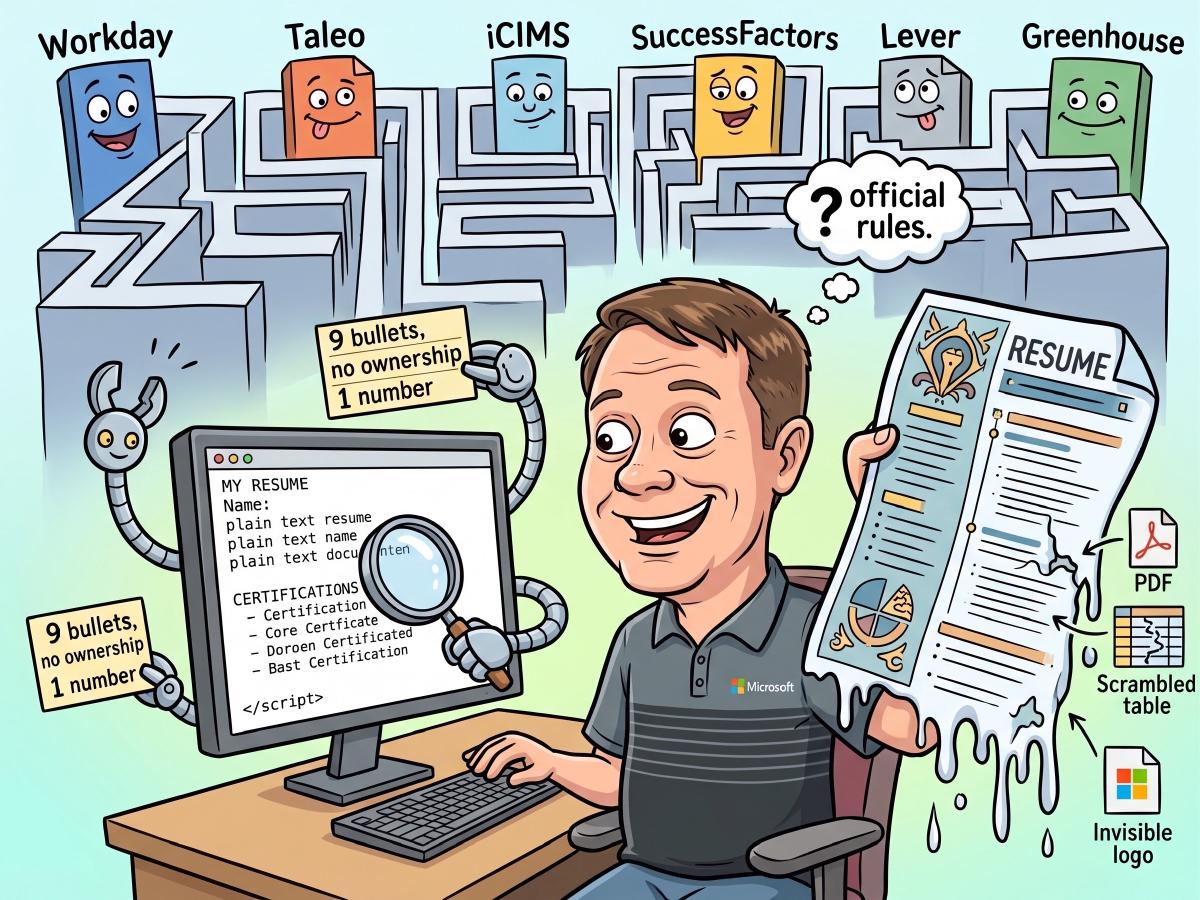

I set out to confirm that my resume was friendly to applicant tracking systems. I ended up proving that it was flawlessly machine readable and that it said almost nothing.
That gap between “parses cleanly” and “actually communicates” turned out to be the whole story.
The bug that started it#
I ran my resume through two different ATS checkers. They disagreed on plenty, but they agreed on this:
Only 1 of 9 bullets shows a measurable result. None of your bullets show ownership. No team size, no scope, no lead or owned or drove language.
Fair criticism, except for one detail. I publish two versions of my resume, a short one and a detailed one, both generated from the same source data. The short one is the default download, so it is the file that a recruiter or an ATS actually receives.
I extracted the text from it and counted. It contained exactly nine bullet points. Two of them were my degrees. Four were certifications. Three were professional affiliations.
The experience section had employers, job titles and dates, and absolutely nothing underneath them.
The checkers had scored my certification list. The single “measurable result” they found was the phrase “(2 years)” next to an adjunct teaching role. Every accomplishment, every number, every piece of scope I had carefully written existed only in the longer variant, and neither tool had ever laid eyes on it.
The lesson generalizes well beyond my own build script. An ATS checker scores what it can extract, not what you believe you wrote. If you have never actually looked at the plain text of your own resume, you do not know what you are sending.
So what are the official rules?#
This is where it gets awkward. I went hunting for authoritative guidance and found that the thing everybody references does not exist.
There is no ATS standard. No standards body certifies a document as “ATS compliant.” There is no specification your file is validated against. The certification badge you see on resume builder websites is marketing.
Worse, the household names publish nothing. Workday, Oracle Taleo, iCIMS, SAP SuccessFactors, Lever, Greenhouse, SmartRecruiters, Jobvite, ADP and Bullhorn do not document their resume parsing behavior publicly. Their help centers cover how to click buttons in the user interface. If an article claims to quote Workday’s parsing rules, ask where it got them, because I could not find a primary source for any such claim.
Two things do exist, and they get confused for a standard:
- HR-Open Standards (formerly the HR-XML Consortium) is a genuine non-profit publishing free specifications for exchanging human resources data. It defines a resume schema, and parsers like Sovren map their output to it. It describes what comes out of a parser, not what your Word file should look like going in.
- JSON Resume is a community authoring schema. Same situation. Output and authoring, not ingestion rules.
So anyone selling you “the official ATS formatting rules” is repackaging vendor advice and folklore.
Who actually documents anything#
Here is the useful part. Applicant tracking systems mostly do not write their own parsers. They license engines. And some of those engines publish real guidance.
The richest source I found is Sovren, now Textkernel, acquired by Bullhorn and licensed inside a number of ATS products. Their candidate guidance pages are detailed, specific, and refreshingly blunt. They are a few years old now and I read them through the Wayback Machine, but the structural advice describes stable engineering constraints rather than fashions.
The second is Affinda, a modern parser that documents its current pipeline, including exact thresholds.
Between them you can reconstruct almost everything worth knowing.
The one sentence that explains every rule#
From Sovren’s own documentation:
Resume systems do NOT read resumes directly. They first convert the resumes into plain text, and then they read and process that plain text.
Sit with that for a moment, because it dissolves most of the mystery.
Your beautiful two column layout is not being looked at. It is being flattened. Your skill rating bars are not being interpreted, they are being discarded. Your name in an elegant header is not being read, it is being dropped.
Every real rule below is just a consequence of that one mechanical fact.
What is genuinely true#
These are supported by explicit vendor text, not by blog consensus.
Tables scramble. Sovren: “most document conversion software cannot handle tables and will either scramble the text into an undecipherable mess” or push the entire leftmost column to the top. Their worked example shows a tidy two column job history collapsing into a meaningless pile of dates followed by a pile of titles.
Multi column layouts do the same thing, for the same reason.
Graphics are invisible. Sovren: “At best, graphics (clip art, photos, logos, anything that is a .bmp or .gif or .jpg or .png, etc.) will be ignored.” They note that people frequently put contact details inside a graphic, which renders the resume useless. If a fact exists only inside an image, that fact does not exist.
Word fields are not read. “Most resume conversion software cannot read anything contained in fields.”
Symbol fonts corrupt. Wingdings and friends carry no mapping back to real characters, so they extract as garbage. Note the nuance here, because it is widely misreported: a genuine bullet character set in a normal text font is completely fine. It is the symbol encoded font that breaks things, not the concept of a bullet.
All numeric dates are ambiguous. Sovren asks for “Month YEAR” and warns that 06/07 means June 2007 in one country and July 2006 in another. Write November 2015, not 11/2015.
Contact details belong one per line. This is the one that caught me out, and I suspect it catches many people. Sovren states it directly: “Contact info should never be placed on just one or two lines, nor placed into columns.” Their example of the wrong format is a single line with separators between each item. My resume had exactly that, email then website then LinkedIn, all on one line divided by pipes. It looked clean and it was a documented mistake. Each detail now gets its own line.
Also from the same source: never provide more than one email address or phone number. More options make you less likely to be contacted, not more.
Make link text the actual URL. Since everything is flattened to text, an anchor that reads “LinkedIn” leaves nothing behind. Write out linkedin.com/in/yourname so it survives.
What is myth, or at least badly out of date#
“Never send a PDF.” You still see this everywhere, and Sovren themselves said it in 2021. But read their troubleshooting page and the real story appears: “If you are seeing poor parsing results from a PDF, that problem is almost certainly caused by the PDF being a file that looks great, but internally is corrupted.”
The enemy was never the format. It was scanned images and broken text layers. Affinda makes this concrete and measurable: their pipeline only falls back to optical character recognition when a document’s text layer contains fewer than 25 words. A properly generated PDF with embedded fonts and a clean text layer sails straight through.
Practical position: a real text based Word file and a properly generated PDF both parse fine in modern engines. Publishing both covers every preference, and costs you nothing.
“Keep it to one page or the ATS will reject it.” No parser documentation I could find imposes any page limit. Page count is a human preference question. It is a real question, recruiters do have opinions, but it is not a parsing question. I deliberately kept my detailed version at three pages rather than dropping employers, because dropping employers costs keyword coverage for no parsing benefit whatsoever.
“Fancy fonts break the ATS.” Partly true, but mis-stated. “Plain is good, fancy is bad” is Sovren’s actual wording, and the genuine risk is a font that is not embedded or that uses symbol encoding. Standard readable fonts are fine.
Promotions under one employer, the tricky case#
This one deserves its own section because it is common, it is easy to get wrong, and getting it wrong distorts the single number recruiters filter on most: your tenure.
If you have held several roles at one company, Sovren describes two acceptable shapes.
The preferred shape repeats the company name, with city and state, under every single title, each with its own date range. Verbose, but bulletproof.
The shape they label also right states the company once with an encompassing date range, then lists each title with its own date range beneath it.
What they explicitly call wrong is nesting job titles under a company with no dates attached to the individual titles. Do that and a parser cannot bind a title to a period, and your tenure calculation goes sideways.
I use the second shape. One line for the employer with the full span, then each grade beneath it carrying its own dates. That is a legitimate choice, but it depends entirely on those per title dates being present, so I added an automated check that fails my build if any of them ever goes missing.
The five minute test you should run today#
This is Sovren’s own recommendation and it costs nothing.
- Open your resume.
- Save As, and choose Plain Text.
- Open the result and read it.
You are looking for specific failure signals:
- Can you still tell which job title belongs to which employer?
- Are your dates intact and attached to the right roles?
- Did your name, email and phone survive, and are they at the top?
- Is anything arriving as one word per line, or as strange boxes and question marks? That is the corrupt text layer symptom, and Sovren notes bluntly that it is not fixable. Rebuild the file rather than trying to repair it.
- Is anything missing entirely? Whatever vanished was in a header, a text box, a field or an image.
If you cannot follow your own career from that text file, no parser is going to do better.
The trap that no format checker catches#
Come back to where this started, because it is the part that formatting advice never addresses.
My resume passed every structural test. Genuine Open XML. No tables. No text boxes. No images. Clean text extraction with no corrupted characters. Every section heading conventional and correctly detected.
It was also, in the section that mattered most, empty.
Format compliance is table stakes, not an achievement. Once the machine can read your file, a human reads what the machine extracted, and at that point the only thing that matters is whether the words are worth reading. Both checkers were pushing me toward the same two things, and they were right:
Lead with ownership. Owned, led, drove, directed, built. Recruiters discount job titles by default and hire on evidence of scope. “Responsible for” describes a job description. “Led” describes a person.
Attach numbers. Aim for somewhere between half and three quarters of your bullets carrying a real figure. Team size, account count, transaction volume, budget, time saved. Numbers are what stops a six second scan.
My rewritten short version now runs eighteen achievement bullets, every one opening with a verb of ownership and seventy two percent carrying a number, against nine bullets, zero ownership and eleven percent before. Same two pages. The format never changed. There was simply something in it.
What I would tell anyone applying this week#
- Extract the text from the exact file you upload, and read it. Not the file you think you upload.
- One column. No tables, no text boxes, no images, no headers or footers.
- Contact details at the top of the body, one item per line, with URLs written out in full.
- Dates as Month Year, with an unambiguous range, and a date on every single title.
- Conventional section headings. Use “Skills” rather than something clever. I switched away from “Core Competencies” purely because “Skills” is the safer token and there was no upside to the synonym.
- Send Word or a properly generated PDF, and stop worrying about which.
- Then forget formatting entirely and go rewrite your bullets, because that is where the actual decision gets made.
Sources#
Everything above traces to one of these. The Sovren pages are the single richest primary source on this topic that I am aware of, and they are worth reading in full even though they are a few years old now.
- Sovren, Tips for Electronic Resumes. The backbone of this article. Tables, graphics, fields, dates, contact blocks, promotion stacks, all of it.
- Sovren, Challenges Converting PDF Files. Where the real PDF failure mode is described, along with the save as text diagnostic.
- Sovren, How to Test Resume Parsing. Aimed at buyers evaluating parsers, but the methodology is instructive, including the warning that vendors hand pick sample resumes that parse well on their own engine.
- Affinda, OCR and Text Extraction. Current, specific, and the source of the 25 word OCR threshold.
- HR-Open Standards. The real standards body, for the data exchange that happens after parsing.
- JSON Resume schema. A clean, readable model of the fields a parser is trying to fill.
A closing caveat in the spirit of the piece. Search engines were largely unavailable to me while researching this, so I worked from direct documentation and archived snapshots. Where I could not find a primary source, I have said so rather than filling the gap. If you find current vendor documentation that contradicts any of this, I would genuinely like to see it.