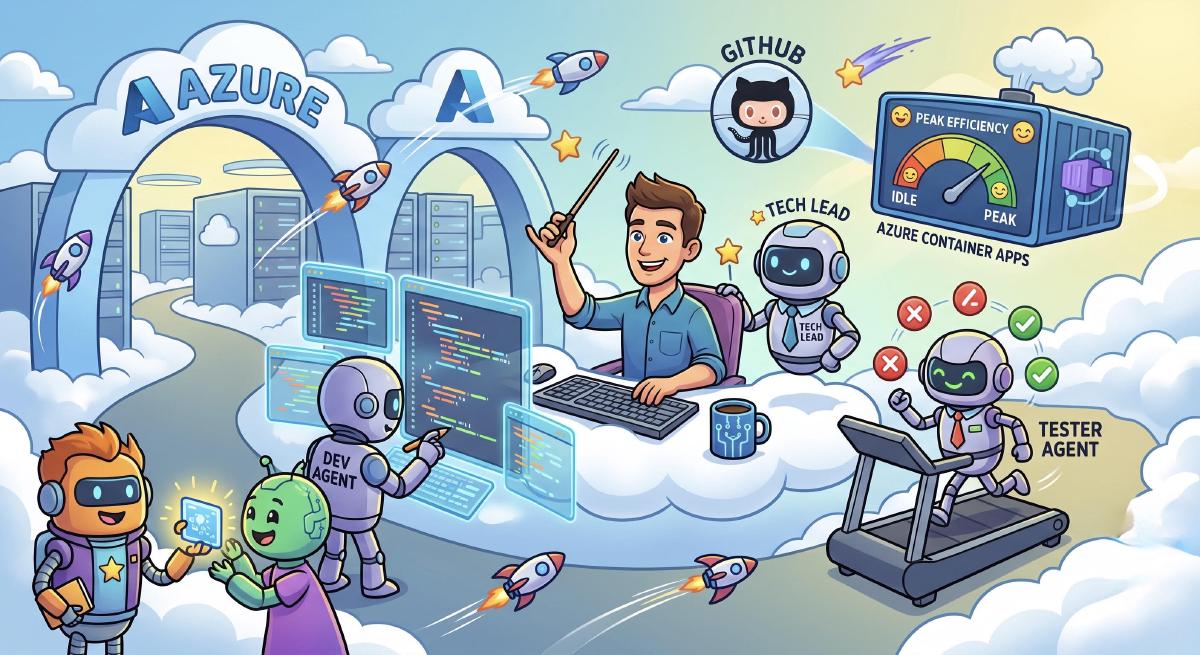

The landscape of software engineering is shifting beneath our keyboards. Not long ago, using AI in development meant sending a single prompt to a chatbot, waiting for a response, and manually copying the output into a file. That was useful, but it was still fundamentally a conversation. The developer remained the workflow engine.
Agentic development changes that model. The best tools now read the repository, inspect files, run commands, make changes, validate results, and keep working until there is evidence that the task is complete. Claude Code describes this as an agentic coding tool that can read a codebase, edit files, run commands, and integrate with developer tooling. Its best practices emphasize a pattern many of us have learned the hard way: give the agent a way to verify its work, such as tests, builds, screenshots, or other deterministic checks.
GitHub is moving in the same direction. GitHub Copilot cloud agent can research a repository, create a plan, make changes on a branch, and prepare pull requests in the background. It runs in an ephemeral development environment, powered by GitHub Actions, and lets the engineer review and iterate instead of manually shepherding every branch, commit, and pull request. The workflow is moving from “ask a model for code” to “delegate a scoped engineering task and review the result.”
At the forefront of this shift is Squad, an open-source multi-agent framework created by Brady Gaster. Squad is not a glorified autocomplete tool. It drops a persistent, specialized AI team inside your repository, including roles like Tech Lead, Frontend Developer, Backend Developer, and Software Tester. Those agents do not share a single over-stretched context window. They coordinate through repository-native state, shared decisions, and explicit handoffs, while the human engineer remains the person setting direction and approving the result.
Tamir Dresher recently showed a strong implementation of this idea on Azure Kubernetes Service (AKS), using Kubernetes-native primitives to run Squad in the background, triage GitHub issues, and automate delivery lifecycles. That work raised a practical question: could we keep the same agentic operating model, but remove the operational overhead of managing a full Kubernetes cluster?
The answer is yes. I published a new repository: Squad on Azure Container Apps (ACA).
Why Azure Container Apps for agent teams?#
Azure Container Apps provides a natural hosting model for multi-agent development workloads:
- Scale to zero: Agent workloads are bursty. They wake up, inspect the repo, run tools, write code, validate, open a pull request, and exit. ACA Jobs give you that shape without keeping idle compute alive.
- Isolation by execution: Each Squad session runs in its own ACA job execution. That keeps dependencies, working directories, and tool execution isolated.
- Scheduled orchestration: Ralph, Squad’s work monitor, maps naturally to an ACA scheduled job. It polls for
squadlabeled issues and dispatches separate session jobs. - Telemetry built in: Aspire runs as a Container App, receives OpenTelemetry logs, traces, and metrics, and gives you a live dashboard for what your remote agents are doing.
- Less platform surface area: You still get containerized execution, managed identity, ACR image pulls, and Key Vault-backed secrets, but without operating a Kubernetes control plane.
The developer flow I wanted#
The goal was not to reinvent Squad. The goal was to let Squad keep doing what it already does well, while moving the actual execution into ACA.
The normal local flow looks like this:
- Create or open a repository.
- Install and initialize Squad.
- Launch GitHub Copilot.
- Switch to the Squad agent.
- Start asking the team to build.
The ACA version keeps that rhythm:
squad-aca init --owner "<github-owner>" --name "my-app"
copilot --agent squad-aca
From there, the local Copilot session becomes the control plane. When you ask for work, squad-aca syncs the local Squad state to GitHub, starts an ACA-hosted Squad session, and lets the remote containerized team do the actual work. If you already have a .squad folder in a repository, you can skip initialization and simply run:
squad-aca "Use the existing Squad team to implement the next feature and open a PR"What is in the implementation?#
The repository includes:
- A reusable
squad-workercontainer image with Node.js, Azure CLI, GitHub CLI, GitHub Copilot CLI, and Squad CLI. - A manual ACA session job,
caj-squad-aca-session, where each execution is one full remote Squad session. - A scheduled Ralph job,
caj-squad-aca-ralph, that polls GitHub issues and dispatches session jobs. - An optional watcher app for teams that prefer continuous
squad watchbehavior. - Aspire Dashboard hosted on ACA, with OpenTelemetry logs, traces, and metrics.
- A
squad-acacommand that acts as a thin remote runner instead of a replacement for Squad. - A GitHub Copilot custom agent template so Copilot can dispatch cloud-hosted Squad sessions directly.
Why this matters#
The interesting part is not just “Squad runs in a container.” The interesting part is that the development workflow now has layers:
- Prompting gave us faster answers.
- Agentic coding tools like Claude Code gave us autonomous repository edits, command execution, and verification loops.
- Cloud agents like GitHub Copilot cloud agent gave us background branch and pull request workflows.
- Multi-agent systems like Squad gave us role separation, team memory, review gates, and coordination.
- ACA-hosted Squad gives us a cloud execution fabric for that team, with scale to zero and centralized observability.
That is a meaningful architectural step. Instead of asking one model to do everything in one context window, you can dispatch a team. Instead of running that team only on your laptop, you can run it in a managed, observable, serverless environment. Instead of trusting a black box, you get commits, pull requests, logs, traces, metrics, and human review.
Getting started#
If you want to stand this up in your own Azure subscription, start with the repository:
- Squad on ACA Repository: https://github.com/swigerb/squad-on-aca
For background on the agentic development ecosystem, these are worth reading:
- Squad: https://github.com/bradygaster/squad
- How Squad runs coordinated AI agents inside your repository: GitHub Blog
- GitHub Copilot cloud agent: GitHub Docs
- Claude Code overview: Claude Code Docs
- Claude Code best practices: Claude Code Docs
- Microsoft Agent Framework: https://github.com/microsoft/agent-framework
Agentic development is not about replacing engineers. It is about giving engineers better delegation primitives. Squad on ACA is one way to make that delegation cloud-hosted, observable, and cost-efficient.